Hafilat Card Not Activated After Purchase: Fix Guide 2026


 June 14, 2026 2:34 pm
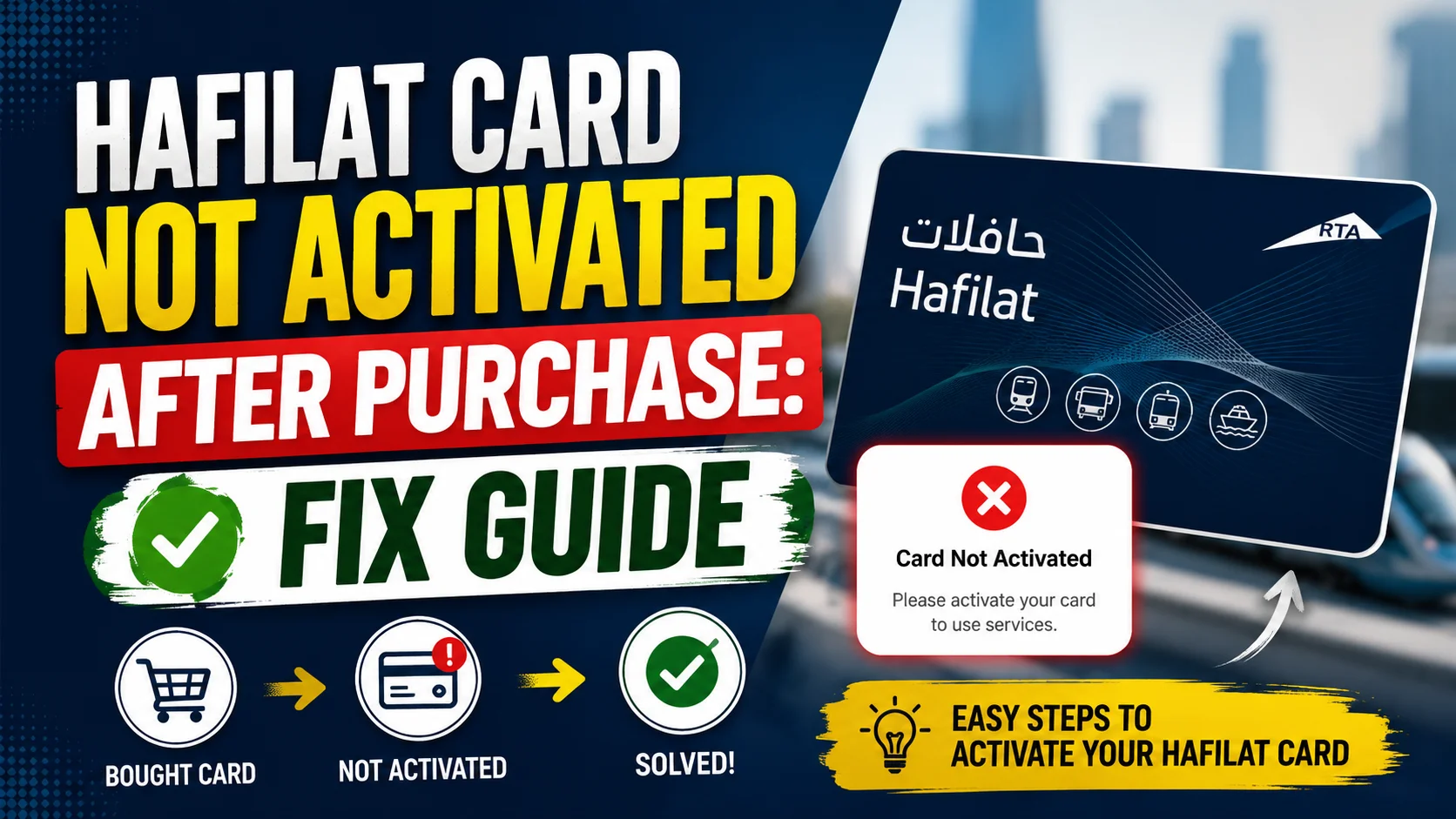
Hafilat Card Not Activated. Buying a Hafilat Card is usually a quick and easy process for public transport users in Abu Dhabi. However, many users face one common issue right after buying the card: the Hafilat card is not activated after purchase. This can be frustrating, especially when you need to travel immediately and your card is not working at the bus validator machine. In most cases, the problem is easy to fix.
This guide explains why your Hafilat Card may not be activated after purchase, how to fix it step-by-step, and how to avoid the issue in the future.
What Is the Hafilat Card and Why Does Activation Matter?
Common Reasons Your Hafilat Card Is Not Activated After Purchase
There are several well-documented reasons why a newly purchased Hafilat card may fail to work. Here are the most common causes, based on how the ITC system functions:
1. The Card Needs an “Activation Tap” at a TVM
This is the most common reason a newly purchased Hafilat card doesn’t work. If you bought or recharged the card online, whether through the Darb app, an MBME machine, or the web portal, the balance and card status remain in a pending state. The card must make physical contact with an official card reader before the system can sync and activate it.
Think of it like a SIM card: you can buy it online, but it only activates once it connects to the network tower.
How to fix it:
Alternatively, simply board a bus and tap your card on the onboard validator. This also triggers the sync and activates the card in real time.
2. Your Card Has No Travel Credit Loaded
Many first-time Hafilat users don’t realize that the card does not come pre-loaded with any travel credit. When you purchase an anonymous Hafilat card, you pay AED 10, but that is the card fee itself, not travel credit. Your actual balance starts at zero.
A card with zero balance will be declined at every validator, which can look like an activation problem but is actually a funding issue.
How to fix it:
You need to top up your card with at least AED 10 before you can use it for travel. You can recharge your Hafilat card at the following locations:
Always ensure your balance is sufficient for your planned journey, as the card will be declined if the fare exceeds your available credit.
3. Physical Damage to the Card’s NFC Chip
If your card has been bent, scratched heavily, exposed to extreme heat, or kept next to strong magnets (like inside a phone case with a magnetic wallet), the NFC chip inside may be damaged or unreadable.
Signs that your card might be physically damaged:
How to fix it:
Note: There is a replacement fee of AED 10, and your existing balance (if any) can be transferred to the new card.
4. Travel Pass Not Synced After Online Purchase
If you purchased a travel pass or subscription through the Darbi App or the ITC web portal, the pass may appear in your account but won’t function on the card until it’s synced. This is a separate issue from the basic activation tap and specifically affects monthly passes and route-specific travel packages.
How to fix it:
5: Recharge Balance Is Not Yet Activated
This is a critical point that many users overlook. According to the official Abu Dhabi Mobility guidelines, after recharging your Hafilat card, whether online or at a machine, you must activate the balance before it expires. The maximum balance that can be credited to the card is AED 150, and this balance has a validity period of 3 months from the recharge date.
To activate the balance, you must do one of the following:
If neither of these actions is performed within the 3-month window, the balance may lapse.
How to fix it:
Immediately after purchasing and recharging your card, tap it on the nearest TVM to activate the stored balance. Do not wait until your first journey.
6: Wrong Card Type for the Service
If you purchased a temporary Hafilat card but are trying to use services that require a registered card such as a monthly pass or the 7-day unlimited pass, your card will be rejected for those specific services. Monthly passes can only be loaded onto registered Hafilat cards that are linked to a UAE identity card.
How to fix it:
Confirm what type of card you purchased. For daily or occasional use, the anonymous card is fine. For monthly passes, discounts, or employee transport schemes, you must upgrade to a registered card by visiting an ITC Customer Happiness Centre with your Emirates ID.
7: Payment Completed but Hafilat Card Not Linked Properly
Your payment may have gone through, but the card details may not have been fully registered in the backend system.
This can happen due to:
- Temporary kiosk network error
- Payment gateway issue
- Card registration interruption
Hafilat Card Activation Checklist in Abu Dhabi
Use this quick checklist to diagnose and fix your issue:
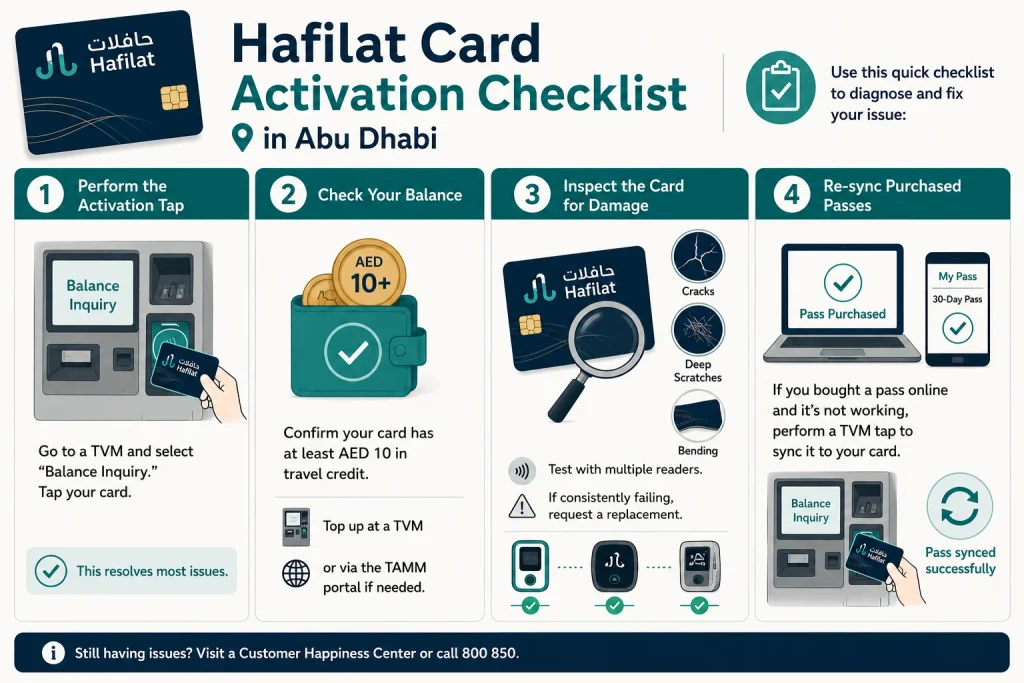
- Step 1: Perform the Activation Tap Go to a TVM and select “Balance Inquiry.” Tap your card. This resolves most issues.
- Step 2: Check Your Balance Confirm your card has at least AED 10 in travel credit. Top up at a TVM or via the TAMM portal if needed.
- Step 3: Inspect the Card for Damage Look for cracks, deep scratches, or bending. Test with multiple readers. If consistently failing, request a replacement.
- Step 4: Re-sync Purchased Passes If you bought a pass online and it’s not working, perform a TVM tap to sync it to your card.
How Long Does Hafilat Card Activation Take in Abu Dhabi?
| Purchase Method | Expected Activation Time |
|---|---|
| Ticket machine purchase | Immediate to 15 minutes |
| Recharge machine top-up | Immediate |
| Online recharge | Few minutes to several hours |
| Delayed system sync | Up to 24 hours |
If more than 24 hours have passed, it’s best to contact support.
note
Hafilat Card Not Activated After Purchase Still Not Working? Here’s What to Do Next
If you’ve tried all the steps above and your Hafilat card still refuses to activate or validate, it’s time to get official help. Here are your options:
Step 1: Visit the Abu Dhabi Central Bus Station
The Customer Service Counter at Abu Dhabi Central Bus Station operates 24 hours a day, 7 days a week. Staff there can inspect your card, check its status on the system, process replacements, and resolve any account-linked issues. This is the fastest in-person option.
Step 2: Contact the Official ITC Helpline
Call 800 850, the official Integrated Transport Centre helpline. Have your card number and purchase details ready when you call. Support agents can check your card’s backend status and escalate issues that can’t be resolved remotely.
Step 3: Visit the AD Mobility Website
The AD Mobility website (admobility.gov.ae) provides a full list of official service locations, including Customer Happiness Offices across Abu Dhabi, where you can handle card replacements and account queries in person.
Where to Find TVM Machines and Customer Happiness Centres in Abu Dhabi
TVMs (Ticket Vending Machines) are located at:
- Abu Dhabi Central Bus Station (main city terminal)
- Al Ain Bus Station
- Mussafah Bus Station
- Airport transfer and interchange areas
- Major bus stops across Abu Dhabi city
Customer Happiness Centers are available at major bus stations. You can also find updated locations through the TAMM portal at tamm.abudhabi or the DARBI app, available on iOS and Android.
How to Avoid Hafilat Card Activation Issues in the Future
Prevention is always better than a fix. Here are practical habits to keep your Hafilat card working smoothly:
- Always tap your card on a TVM immediately after purchase to confirm it is active in the system.
- Recharge early; do not wait until your balance hits zero. Maintain at least AED 20 at all times.
- Recharge at a TVM for instant balance reflection, rather than online, if you need the card to work within the next hour.
- Register your card with your Emirates ID at a Customer Happiness Centre. A registered card allows balance protection, making it recoverable if lost or damaged.
- Check your card’s expiry date every few months using the TAMM portal or a TVM.
- Use the DARBI App to monitor your hafilat balance and transaction history so you always know the card’s status before you travel.
FAQs About Hafilat Card Not Activated After Purchase
Why is my Hafilat card not working after purchase?
Your Hafilat card may not be working because it hasn’t been activated yet. Cards purchased online through the Darb App, MBME machines, or the web portal remain in a pending state until you perform a physical tap at a ticket vending machine (TVM) or bus validator. This sync tap is required to activate the card on the system.
How do I activate my Hafilat card for the first time?
To activate your Hafilat card for the first time, go to any Ticket Vending Machine (TVM) at a major Abu Dhabi bus station, select “Balance Inquiry,” and tap your card on the reader. You can also simply board a bus and tap your card on the onboard validator; both methods will activate and sync your card instantly.
How long does Hafilat card activation take?
Hafilat card activation is instant once you tap the card at a TVM or bus validator. There is no waiting period. If your card doesn’t activate immediately after tapping, check your balance or inspect the card for physical damage.
Conclusion
A Hafilat card that doesn’t activate after purchase can feel inconvenient, but it’s rarely a serious problem. In most cases, a quick tap at a TVM, balance check, or Hafilat recharge solves it within minutes. Knowing the process helps you travel confidently across Abu Dhabi without delays or unnecessary stress again.
Sources
Hafilat https://hafilat.darb.ae/
TAMM https://www.tamm.abudhabi/
Ticket Vending Machine (TVM)
Noura al Noman
I’m Noura Al Noman, an author at hafilatbalancechecksae.com. I write clear and informative guides about Hafilat balance checks, card services, and public transport in the UAE. My goal is to provide accurate, user-friendly information that helps readers complete tasks quickly and easily.