Can You Add a Hafilat Card to Apple Wallet


 May 14, 2026 2:44 pm

Can You Add a Hafilat Card to Apple Wallet. As digital wallets reshape how we pay, travel, and store essential cards, many commuters in Abu Dhabi are asking a key question: can the Hafilat Card be added to Apple Wallet? With smartphones replacing physical wallets, the demand for seamless, contactless transit solutions is growing rapidly. Travelers want faster boarding, better convenience, and secure mobile access to public transport systems. However, not all transit cards are yet compatible with Apple’s ecosystem.
In this guide, we explore whether Hafilat supports Apple Wallet, the current limitations, and what users can realistically expect as the UAE continues its push toward smart, cashless transportation.
What Is Apple Wallet?
Apple Wallet is a secure digital wallet app developed by Apple Inc. that allows users to store, manage, and use a wide range of digital items directly from their iPhone or Apple Watch. It eliminates the need to carry physical cards by turning your device into a powerful, all-in-one wallet.
Can You Add a Hafilat Card to Apple Wallet?
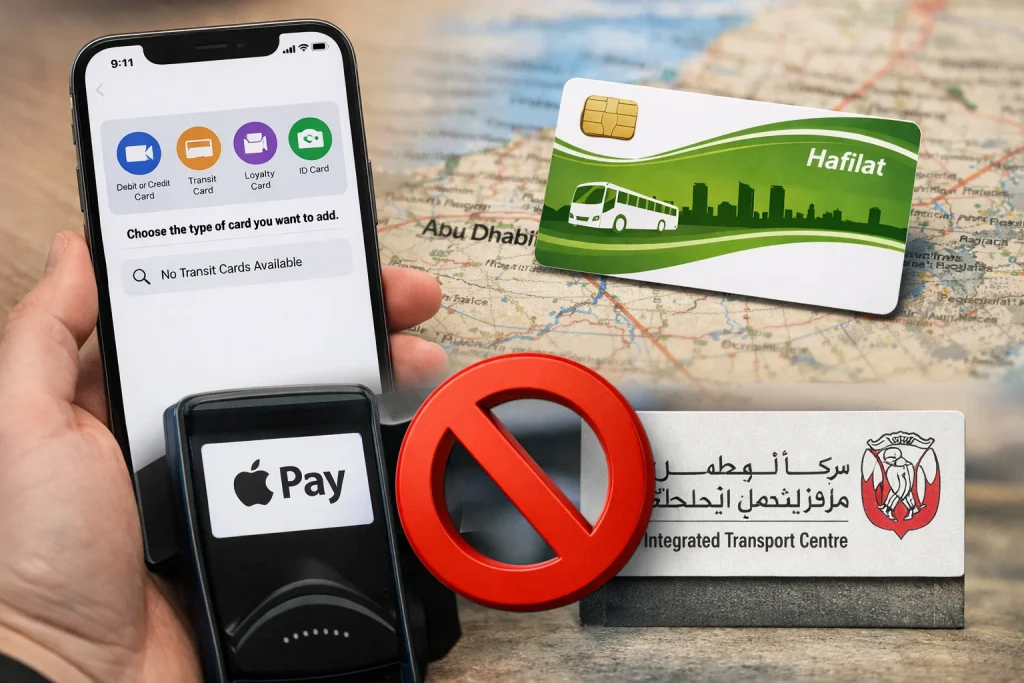
Why Isn’t Hafilat Card Supported in Apple Wallet?
There are several technical and policy-related reasons:
1. Lack of NFC Integration
Apple Wallet requires transit systems to support NFC-based digital ticketing. The Hafilat system currently operates on a closed-loop smart card system, which is not yet compatible with Apple Wallet.
2. No Official Partnership
Transit cards in Apple Wallet require agreements between Apple and transportation authorities. As of now, Abu Dhabi’s Department of Transport has not announced such a partnership.
3. Infrastructure Limitations
Upgrading a transit system to support mobile wallets requires:
Until this integration is built and certified, adding a Hafilat Card to Apple Wallet simply is not possible through any workaround or setting.
4. Security and Compliance Requirements
Apple Wallet integration requires strict security standards and encryption protocols, which may not yet be implemented in the Hafilat system.
Best Alternatives For Hafilat Card Right Now
Just because the Hafilat Card cannot be added to Apple Wallet does not mean iPhone users are stuck without digital options. There are several excellent alternatives that allow you to manage your Hafilat Card entirely from your smartphone.
1. The Darbi App (Recommended)
The Darbi App, developed by the Integrated Transport Centre (ITC), is the primary official app for managing everything related to public transport in Abu Dhabi. It is available on both the Apple App Store and Google Play Store.
With the Darbi app, you can:
2. The Hafilat Website
The official Hafilat portal at hafilat.darb.ae allows you to:
3. The Payit Digital Wallet App
Payit, a UAE-based digital wallet, also supports Hafilat Card management. You can download it from the App Store (search “Payit Digital Wallet UAE”) or Google Play. The app allows you to top up your Hafilat Card and view your balance, providing another convenient mobile option.
4. Ticket Vending Machines (TVMs)
If you prefer an in-person approach, ticket vending machines are located at all major bus stations across Abu Dhabi. These machines allow you to check your balance, recharge your card with cash or a bank card, and even purchase a new card. They are available 24/7 at most stations.
5. Retail Outlets and Customer Service Centers
You can also top up your Hafilat Card at authorized retail partners, including LuLu Hypermarket branches across Abu Dhabi, as well as at official Hafilat customer service counters located at bus stations and transport centers.
Will Hafilat Card Be Available in Apple Wallet in the Future?
This is a question many Abu Dhabi residents and UAE tech enthusiasts ask. While there is no official announcement from Apple or the Integrated Transport Centre about an upcoming integration, it is not unreasonable to hope for this in the future.
Abu Dhabi is consistently expanding its smart city infrastructure. The UAE government has demonstrated strong interest in digital payments and contactless services. As the Hafilat system matures and as smart mobility becomes a higher priority, integration with platforms like Apple Wallet and Google Wallet becomes increasingly plausible.
For now, residents should keep an eye on announcements from:
If and when this partnership is announced, existing Hafilat cardholders with personalized accounts will likely be among the first to benefit, since their cards are already linked to registered accounts.
What Should You Do Right Now?
Since Apple Wallet support is not available, here are practical tips:
Conclusion
As of 2026, the Hafilat Card cannot be added to Apple Wallet, requiring users to rely on physical cards for travel. While apps provide useful digital support, full integration is still unavailable. With Abu Dhabi advancing toward smart mobility, future compatibility remains possible. For now, use official tools to manage and recharge your card efficiently.
Source
Hafilat: https://hafilat.darb.ae/
Noura al Noman
I’m Noura Al Noman, an author at hafilatbalancechecksae.com. I write clear and informative guides about Hafilat balance checks, card services, and public transport in the UAE. My goal is to provide accurate, user-friendly information that helps readers complete tasks quickly and easily.